
Uncategorized
Seat Map Update: Why Drivers Should Upgrade Using a Smart SD Card
Dec
For owners of SEAT vehicles with built-in navigation, the Seat SD card that stores your maps is the key to staying on track. However, map data can become outdated as new roads are built and old routes change. Performing a regular Seat navigation update is essential to ensure your system provides accurate directions and efficient routes. In this article, we explore why keeping your Seat’s maps up-to-date is so important and how using a Smart SD Card makes the upgrade process quick and easy.
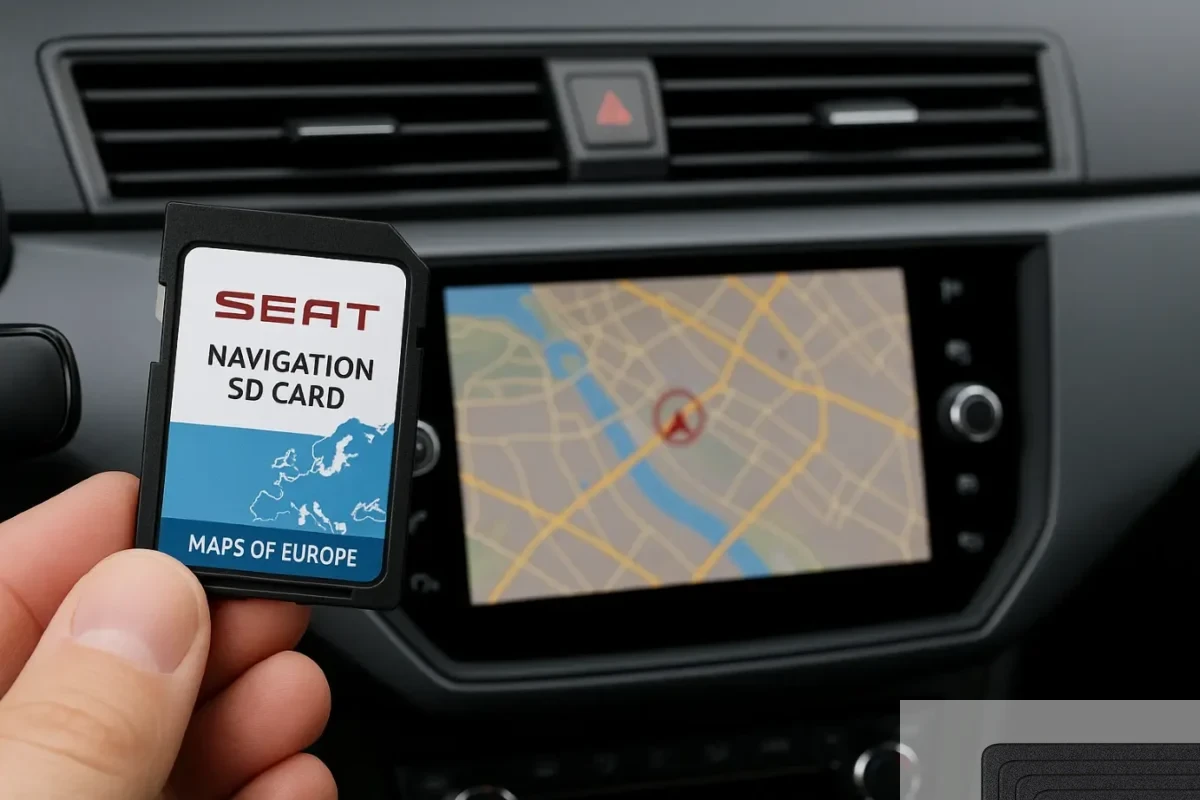
An updated Seat navigation SD card (with full European maps) is an easy plug-and-play solution for refreshing your car’s navigation data.
Why Up-to-Date Maps Matter for Seat Drivers
Road networks are continually evolving – if you keep using an old map, you may encounter missing roads or wrong directions. Construction of new highways, changes in traffic patterns, and updated points of interest mean yesterday’s map might not reflect today’s reality. This can lead to missed turns, longer travel times, or even safety risks if your navigation doesn’t warn you about new speed limits or road hazards. By installing a Seat map update on a fresh SD card, you ensure your navigation system always has the latest information.
Up-to-date maps provide several benefits for drivers:
- Accurate Routing: The latest map data accounts for new roads, updated street layouts, and recently opened routes. Your Seat’s GPS can then suggest the optimal path to your destination without unnecessary detours.
- Time and Fuel Savings: With current traffic info and road data, the navigation can help you avoid congestion and find shorter routes. This reduces travel time and even saves fuel in the long run.
- Enhanced Safety: Map updates often include revised speed limits and other traffic changes that weren’t in your old database. Having these updates means your Sat Nav can provide timely warnings (e.g. upcoming sharp turns or school zones) based on the latest conditions.
- New Points of Interest: A Seat navigation update refreshes the database of points of interest (POIs) – such as fuel stations, restaurants, EV charging points, and attractions. You won’t miss that new gas station or a recently opened restaurant because your old map didn’t list it.
Understanding Seat Navigation SD Cards
Many modern Seat models (from the Ibiza hatchback to the Alhambra minivan) use an SD card to store their navigation maps. In fact, the navigation SD card is an integral part of the infotainment system – without it, the built-in GPS may not function at all. From the factory, the map SD card comes pre-inserted in a designated slot (often SD slot 2 in the glovebox). This SD card contains detailed mapping data for your region, including road networks and POIs specific to your vehicle’s navigation software.
It’s important to use the correct SD card for your specific Seat model and system. Each navigation SD card is designed for certain units or regions, so using an incompatible card could result in errors or a non-functional navigation.
A Smart SD Card is a special navigation SD card pre-loaded with the latest Seat map data and configured for plug-and-play use. Upgrading with a Smart SD Card lets you skip manual download steps and ensures the new card will work seamlessly with your vehicle’s system.
Benefits of Upgrading with a Smart SD Card
Choosing to upgrade via a Smart SD Card offers several advantages:
- Ease of Use: There’s no need to fuss with websites or software to update your maps. You simply purchase the correct Smart SD Card for your Seat model and region, insert it, and the update is applied automatically by the car. In most cases, it’s as simple as plugging in the new card and letting the system recognize the updated data.
- Time-Saving: Downloading gigabytes of map data and transferring them can be time-consuming (and requires a reliable internet connection and computer). A pre-loaded SD card skips this entire process – the heavy lifting is done for you. This means no waiting for lengthy downloads or dealing with unzip-and-copy procedures that official updates might involve.
- No Technical Guesswork: The Smart SD Card is pre-configured to eliminate user errors. It has the correct file structure and has been tested to work with your specific navigation system. This removes the risk of mistakes like formatting the card incorrectly or copying files to the wrong folder. It also avoids the scenario of accidentally corrupting your original card. In short, using a Smart SD Card ensures a hassle-free upgrade for even non-technical users.
- Immediate Navigation Improvement: As soon as the new SD card is in place, your Seat’s infotainment can load the new maps. Often, the system will automatically detect the new map data and begin using it on the next startup. You’ll notice improved accuracy in routes and may discover new features or updated interface elements included with the map update.
- Smart SD Cards for All Models: Smart SD Cards are available to suit virtually all Seat models and navigation versions, covering popular models like the Ibiza, Leon, Ateca, and more across both MIB1 and MIB2 systems.
How to Perform a Seat Navigation Update with a New SD Card
Upgrading your Seat’s navigation via a Smart SD Card is straightforward. Here are the basic steps to follow:
- Identify Your Navigation System: First, determine which navigation system your Seat has (for example, whether it’s a MIB1 or MIB2 unit). You can find this in your vehicle’s manual or by checking the navigation settings for the map version info.
- Obtain the Correct Smart SD Card: Next, choose the correct Seat navigation SD card for your car. Make sure it matches your vehicle’s model, year, and region (for example, the Europe map SD Card for a 2025 Seat Leon). Each card’s description should list the compatible models and the map version it includes.
- Install the SD Card Update: Switch on the ignition and allow the infotainment system a moment to recognize the new card. The system should automatically detect the updated map data and begin installing it. Simply follow any on-screen prompts and do not remove the card or power off until the process finishes. Once completed, the navigation will start using the new maps immediately.
After installation, you should verify that the new maps are active. You can do this by checking the map version info in the navigation settings menu and it should show the latest map release year or version you installed. Now you’re all set to enjoy your updated navigation.
Pro Tips and SD Card Tools for Navigation Updates
Always handle your navigation SD cards with care. When swapping cards, ensure the ignition and infotainment is turned off to prevent any data corruption. Keep your original card stored safely as a backup in case you ever need it again.
Consider backing up your original SD card’s contents on a computer before making any changes. There are also specialized SD card tools available to help format, repair, or clone navigation cards if needed. However, for most drivers, using a ready-to-go Smart SD Card is the simplest and safest approach to avoid any technical issues.
One common question is how often to update the maps. Generally, Seat and most manufacturers release map updates annually. It’s recommended to update your navigation system about every 1-2 years to keep up with significant road change. If you do a lot of driving in rapidly developing areas, updating every year ensures you have all the new roads and addresses. Even if your driving is mostly local, an update every couple of years will still bring many improvements. The difference after several years can be quite noticeable – you might gain dozens of new streets and corrected routes that weren’t on your old maps.
Conclusion
A navigation system is only as good as the map data it uses. Upgrading your Seat’s navigation maps with a Smart SD Card is a smart move to guarantee accurate, efficient, and safe travels. Instead of relying on outdated information, you’ll have confidence that your route guidance reflects the current reality of the roads. From saving time and fuel on daily commutes to effortlessly finding new destinations on a road trip, an updated map makes all the difference.
With a Smart SD Card, updating your Seat’s navigation is painless and you gain all the latest navigation features. It’s a minor upgrade that delivers big peace of mind, ensuring you’re never led astray by outdated maps. Keep your journeys smooth and your adventures on track by giving your Seat’s sat nav the update it deserves.